
Meta When Should You Replace Your Phone’s Battery for Best Performance?
Your phone’s performance depends heavily on the health of its battery. As the battery wears down, you’ll notice slower speeds, shorter screen time, and annoying shutdowns. Many users wait too long before replacing it, risking damage or inconvenience. Knowing the right time to swap out your battery ensures smoother usage and extends the life of your phone. Replacing a worn-out battery isn’t just about power—it’s about keeping your device efficient. You don’t need to wait until your phone dies completely. Learn the clear signs and lifespan limits so you can make a smart, timely decision about replacing your battery.
How Long Does a Phone Battery Usually Last?
Average Lifespan of Lithium-Ion Batteries
Most smartphones today use lithium-ion batteries, which typically last between 2 and 3 years or around 300 to 500 full charge cycles. After this point, they begin to lose capacity noticeably. You’ll still be able to use your phone, but you’ll charge it more often, and it won’t last as long. Manufacturers often design batteries to degrade slowly over time, but heat, usage habits, and charge levels all affect how fast this happens. If your battery reaches 80% capacity within two years, it’s performing within expected limits. After that, performance issues will likely start becoming more frequent.
Factors That Shorten Battery Life
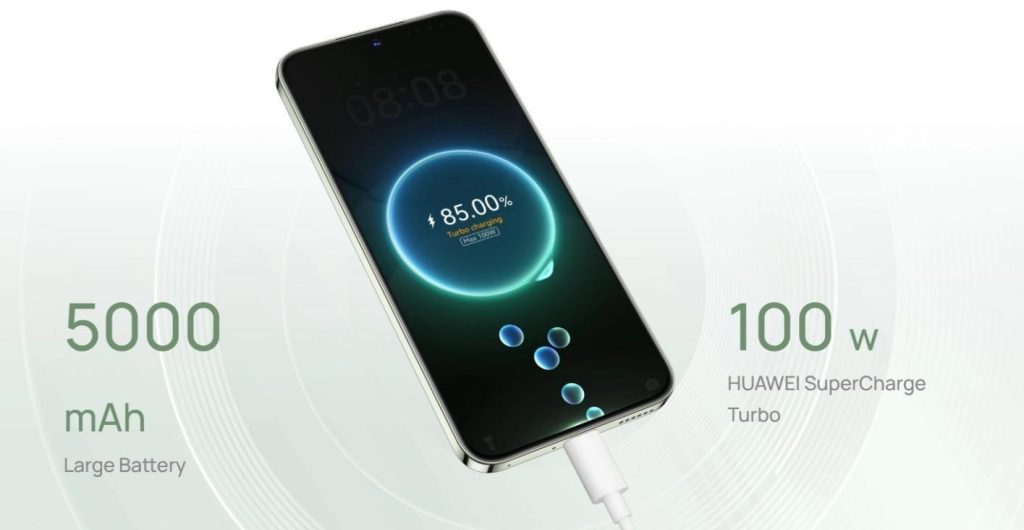
Several habits can shorten a phone battery’s life quickly. Constant overcharging or charging up to 100% all the time causes stress on lithium-ion cells. Extreme temperatures—especially heat—can damage internal battery chemistry, leading to faster degradation. Using your phone heavily while charging also generates excess heat. Fast charging repeatedly can degrade cells faster than standard charging. Background apps that sync constantly drain the battery and force more frequent charges. Leaving the battery to drop below 10% before charging regularly can also be harmful. Adopting smarter charging practices can make a meaningful difference in extending your battery’s usable life.
What Battery Health Percentage Is Too Low?
When your battery health drops below 80%, it’s time to start planning a replacement. This benchmark, often seen in devices under “Battery Health,” means your battery can no longer hold as much charge as it once did. Below 80%, you’ll likely notice performance drops, random shutdowns, and slower charging speeds. At 70% or lower, the battery becomes unreliable and risks swelling or overheating. Replacing it early avoids potential damage and restores your phone to its intended performance and battery life.

What Are the Signs You Need a Battery Replacement?
Unexpected Shutdowns and Rapid Drain
If your phone turns off suddenly—even with 20% or more battery left—it’s a clear sign your battery is failing. Random shutdowns usually mean the battery can’t supply enough power during peak usage. Alongside this, rapid battery drain is another symptom. If your charge drops significantly just browsing or using apps briefly, or it goes from 80% to 30% in under an hour, your battery isn’t holding power efficiently. These issues will only get worse with time. Users often try power-saving tricks, but when these problems persist despite efforts, battery replacement is the only reliable fix to restore stable usage.
Overheating During Normal Use
Phones warm up with heavy gaming or video calls, but if your device gets hot during simple tasks like texting or checking email, the battery could be the culprit. Overheating during regular use indicates the battery is struggling to regulate its internal temperature. This creates a safety risk and impacts performance, causing throttling and lag. A failing battery makes the phone work harder, generating more heat. In some cases, this heat can damage nearby components or cause the battery to swell. If your phone is uncomfortably hot in your hand often, stop using it immediately and consider battery replacement soon.
Swollen Battery or Physical Deformation
One of the most urgent signs you need a battery replacement is swelling. A swollen battery pushes against the screen or back cover, causing warping, gaps, or screen lifting. You might even hear a slight cracking sound if pressure builds up. This is dangerous, as a swollen battery can leak or, in rare cases, catch fire. Never try to puncture, press, or remove a swollen battery yourself—get it handled by a professional. Physical deformation is not just cosmetic; it shows internal failure. Replacing a swollen battery quickly protects you from personal injury and prevents further damage to your device.
Conclusion
Replacing your phone’s battery at the right time keeps your device safe and running efficiently. Don’t wait for serious issues like overheating or swelling. Watch for signs like shutdowns, fast drain, or reduced battery health percentage. Lithium-ion batteries aren’t built to last forever, and pushing them beyond their limits only causes frustration and potential hazards. Whether you’re streaming Netflix on huawei or multitasking with other demanding apps, battery health plays a key role in performance. Understanding the clear indicators of battery decline empowers you to act early. A simple battery replacement can feel like getting a new phone—without the cost. Stay alert to your phone’s signals and make proactive choices to keep your technology working its best every day.